How to Activate du Tourist SIM in the UAE in 2026?
Quick answer: Follow the activation instructions supplied with your du Tourist SIM or the official Tourist eSIM flow. du’s reviewed manual tells physical-SIM users to insert the card and text their year of birth to 1220; eSIM users follow its QR activation route. Complete the required identity checks and wait for activation confirmation.
The tourist eSIM page and manual reviewed for this guide advertise a 10GB starter allowance valid for 24 hours, not a universal 1GB allowance. Confirm the benefit attached to the line you receive because promotions and eligibility can change.
Prepare your phone and documents
- Use an unlocked device compatible with the relevant UAE network.
- For eSIM, confirm that your particular phone model and regional variant support it.
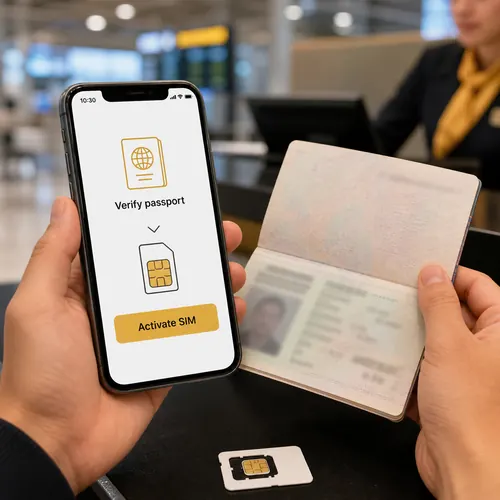
- Have your passport and the entry or visa documents required in the authorised registration flow.
- Use a secure connection for any download or identity submission.
- Keep your home SIM’s roaming settings separate from the new du line.
Activate the physical tourist SIM
- Confirm that the SIM and activation instructions came from an authorised du channel.
- Insert the card and choose the du line for the required outgoing SMS.
- Follow the manual’s year-of-birth message to 1220 if it is the instruction supplied for your card.
- Complete any remaining operator verification and retain its confirmation.
- Select the du line for mobile data and check that the allowance is active before browsing.
Do not send personal information to a number copied from an unsolicited message. If your card supplies different instructions, check with du rather than mixing activation flows.
Install the Tourist eSIM
- Use du’s official tourist eSIM page and compatibility check.
- Follow its identity and QR-based installation flow.
- Keep the provided installation details private and add the line through your phone’s cellular settings.
- Label the new line so it is easy to distinguish from your home SIM.
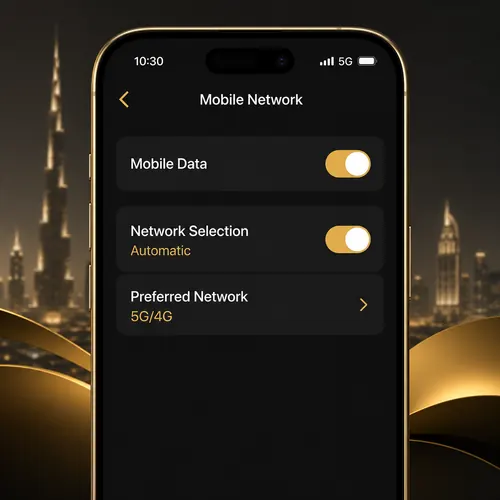
- Set your intended default for data and calls, then verify service.
An eSIM profile installed on the phone is not automatically proof that identity verification and a data benefit are complete. Avoid deleting the profile as a first troubleshooting step; reinstallation may require operator help.
Brochure examples for paid tourist bundles
| Published brochure price | Data | Included minutes | Published validity |
|---|---|---|---|
| AED 49 | 4GB | 30 local/international minutes | 28 days |
| AED 99 | 10GB | 60 local/international minutes | 28 days |
| AED 199 | Advertised as unlimited | 100 local/international minutes | 7 days |
| AED 299 | Advertised as unlimited | 200 local/international minutes | 14 days |
These are examples in the official manual, whose English tables were visually reviewed. They are not a guarantee of today’s checkout, VAT treatment, fair-use conditions or eligible calling destinations. Read the live tourist bundle before paying.
If you have no signal or no data
- Check that the correct SIM/eSIM is enabled and the device is not carrier-locked.
- Confirm that registration and activation succeeded, not merely that a profile was downloaded.
- Restart or briefly toggle airplane mode to refresh network registration.
- Select the du line for mobile data; keep the home line’s roaming off unless intentionally using it.
- If signal exists but data fails, inspect the active allowance and follow du’s model-specific network instructions.
The starter allowance, paid bundle validity and tourist-line lifetime are separate clocks. Confirm the line’s permitted lifetime and any extension or residency-conversion process before relying on it for a long stay.
Questions about the advertised offer
Is the starter benefit always 1GB?
No. The reviewed official tourist materials show 10GB for 24 hours; confirm the promotion on your line.
Do I need eSIM support for a physical card?
No. Physical SIM and eSIM are different installation choices.
Does a top-up permanently extend a tourist line?
Not necessarily. Ask about the line’s validity and identity requirements separately from the bundle.
Can I guarantee activation in 15 seconds?
No. Device installation, connectivity and identity checks can affect the time. Use the successful operator confirmation.
Checked sources
- du Tourist eSIM
- du official Tourist Manual: activation and tariff examples
- du tourist-line identity and validity information
Information reviewed on 13 October 2026. Checkout terms and the account’s confirmation take precedence over an older illustration.